Why Use AR Challenge ... Part 2...

Describe the Photo
Look at the pictures below and answer the following questions:- As you are describing what is happening in the photo use where it is happen. For example - on the left, in the middle, behind and etc....
- Use present conditions - What are they doing? and etc...
- What is the weather like?
- Is the location inside or outside?
- Use adjectives to explain the mood of the setting?
- How does this image make you feel?
- Would you like to be there? Why or Why not?
Now take a look at the second photo and answer the same questions.
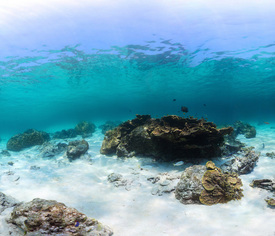
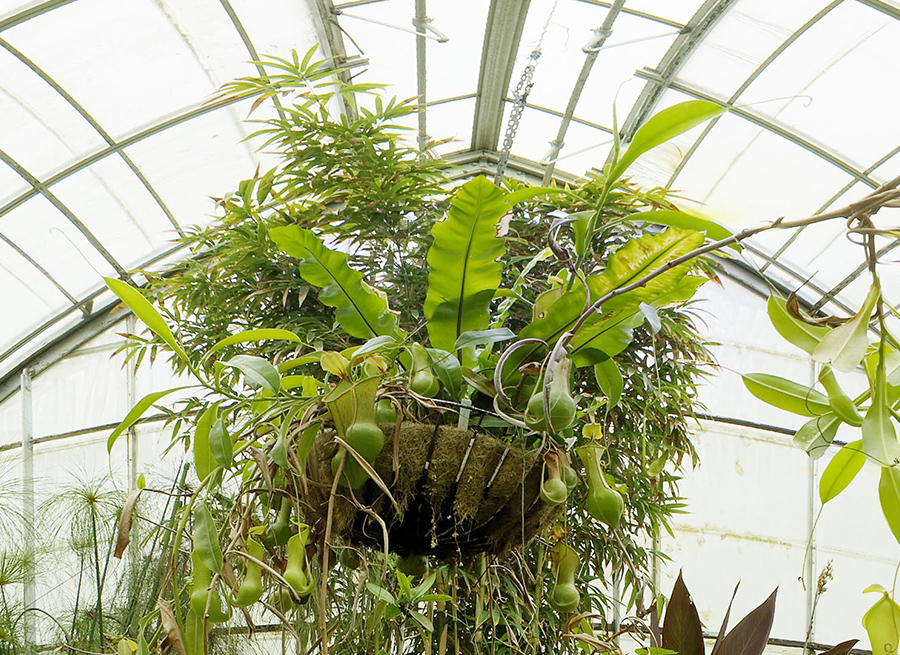
Comparing:
Looking at the two photographs what do you see that is similar and what is different. Use the following vocabulary to to describe the similarities and the differences.
Similar: all, most, both, also, as well, & too
Different: but, however, whereas, on the other hand, & although
Speculate:
Speculate the situation and use words to describe such as: use may, might, must, can't be, seems to, & appears to be.
Your Reaction:
Give your reaction to the photographs and use words such as: I'd love, hate to do that, It looks great, it appears to be dangerous, It makes me want to try, & It wouldn't suit me.
Steps to Explore:
Explore the 360° environment and answer the following questions:
Now experience the 2nd image and answer the same questions.
Comparing:
Now that you experienced the two environments what do you see that is similar and what is different. Use the following vocabulary to to describe the similarities and the differences.
Similar: all, most, both, also, as well, & too
Different: but, however, whereas, on the other hand, & although
Speculate:
Speculate the situation and use words to describe such as: use may, might, must, can't be, seems to, & appears to be.
Your Reaction:
Give your reaction to the photographs and use words such as: I'd love, hate to do that, It looks great, it appears to be dangerous, It makes me want to try, & It wouldn't suit me.
Share your your experience via social media. Use the hashtags #TechieEdu and #AR4Learning.
Comparing:
Looking at the two photographs what do you see that is similar and what is different. Use the following vocabulary to to describe the similarities and the differences.
Similar: all, most, both, also, as well, & too
Different: but, however, whereas, on the other hand, & although
Speculate:
Speculate the situation and use words to describe such as: use may, might, must, can't be, seems to, & appears to be.
Your Reaction:
Give your reaction to the photographs and use words such as: I'd love, hate to do that, It looks great, it appears to be dangerous, It makes me want to try, & It wouldn't suit me.
Adding AR:
You are going to ask the same questions but this time instead of just looking at the two images you are going to explore them. The app you will need is (STAR by Aug That) Supreme Tutoring Augmented Reality.Steps to Explore:
- Launch the app
- Click Start Lesson
- Click 360° - Panorama
- Scan the 1st image with you device
- Once the AR experience is loaded walk around the room.
- Using your device to look up, look down, and look all around.
- Describe the Experience
Explore the 360° environment and answer the following questions:
- As you are describing what is happening in the around you? For example - on the left, in the middle, behind and etc....
- Use present conditions - What are they doing? and etc...
- What is the weather like?
- Is the location inside or outside?
- Use adjectives to explain the mood of the setting?
- How does this image make you feel?
- Would you like to be there? Why or Why not?
Now experience the 2nd image and answer the same questions.
Comparing:
Now that you experienced the two environments what do you see that is similar and what is different. Use the following vocabulary to to describe the similarities and the differences.
Similar: all, most, both, also, as well, & too
Different: but, however, whereas, on the other hand, & although
Speculate:
Speculate the situation and use words to describe such as: use may, might, must, can't be, seems to, & appears to be.
Your Reaction:
Give your reaction to the photographs and use words such as: I'd love, hate to do that, It looks great, it appears to be dangerous, It makes me want to try, & It wouldn't suit me.
Share your your experience via social media. Use the hashtags #TechieEdu and #AR4Learning.


