Showing posts with label drawing. Show all posts

Take the Green-Screen Challenge - #TechieEdu!

Take the Green-Screen Challenge - #TechieEdu!

Have you watched the weather report and wonder how in the heck did they get that map or video to play behind them. You and your students can create projects just like the weather man broadcasts the weather report with one simple iPad tool.

Green-Screen Project Ideas:

Teacher in-Residence - Teachers could pre-record a lesson for the substitute so that class could go on as usual. Once shared with students, they could return to the lesson again and again as needed
Historical Role-Play - Teachers could have students re-enact different historical events either using the portable green screen with props or the larger green screen with themselves.
Historical Reporting - Students could use the green screen to create a journalistic approach to report important things that have happened in the past.
Click Here for more ideas.

The Challenge

The Challenge via the Podcast on Remarkable Chatter
Review the presentation - Creating Amazing Green-Screen Projects.
Download the Veescope Full Version app
Play with the app. You do not need a green-screen to work the app, all you need is a blank wall, whiteboard, door, and etc...
Create a 1 minute green-screen project.

Upload your project to YouTube, SchoolTube, Vimeo, and etc...
Find the SHAREABLE Link.
Tweet out your Green-Screen project using the hashtag #TechieEdu.
Share your project idea on the Green-Screen Idea board.
Claim your badge. 

Resources:

Do You Want to Build a Snowman?

Do You Want to Build a Snowman?
It doesn't have to be a snowman...

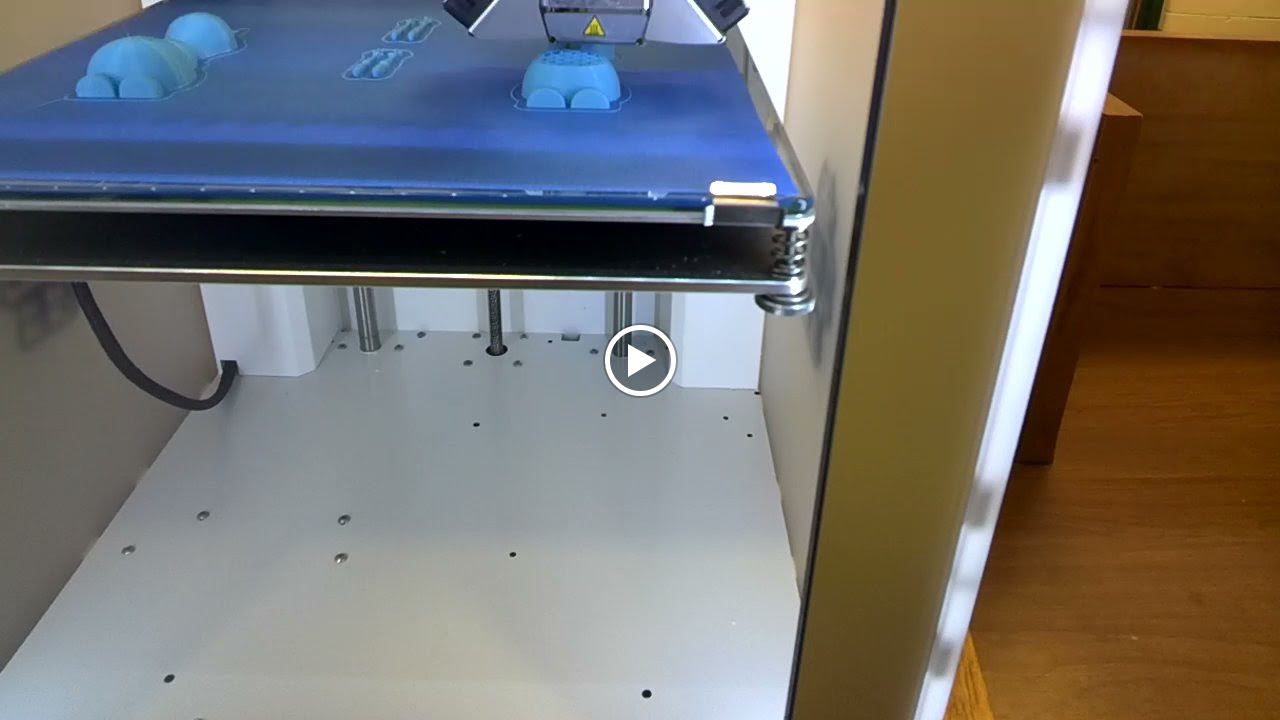
The Pratt High school received a 3D printer and the middle school was invited to use it.  If I could have I would have done a dozen cartwheels when I heard the news.  The 3D printer arrived just in time for me to introduce technology terminology to my technology students.

Knowing how much my students love Olaf I went searching for a 3D object file of him that I could use with the 3D printer.  I found one in the MakerBot Thingiverse site.  I myself am not a designer just yet so thanks to those that have shared their designs in Thingiverse I was able to demonstrate how a 3D printer works.  My students were in awe as they watched the layers build.  By the end of the day I had students who were not in my classes wanting me to take them over to the high school so that they can experience the building of Olaf.

Seen though Google Glass
After seeing the 3D printer in action my students are blogging about their experience.  They are explaining what a 3D printer is, how it works, what materials it can use, and what they would like to create with it.  During their research on 3D printing my students descovered that their are 3D printers for food, they especially like the one that will make pizzas.


Our Finished Olaf

Resources:


Making My Mark ..........

Making My Mark .....

My goal is to bring learning to life, and I love to augmented reality to do this.  This year for Dot Day I had my students write about how they could make their mark on the world.  When they finished with their writing assignment they were instructed to use the Dot Day color sheet by colAR Mix to design a LOGO to go with their assignment.

The second part of the assignment was for my students to create a blog.  I want them to own this blog, make it theirs, and post to as often as they would like.  Their 1st post was their Make My Mark assignment.  They also had to include an picture or a collage of pictures of them and their LOGO.


What my students may not have caught was I was making my own mark in their lives.  I love planting seeds and watching what grows. Encouraging them to write and own their own blog my just unleash the next best seller novel writer, the next high paying blogger, or even the next famous photographer.  I can't wait to see were my students' blogs will go.  What I do know is that writing for an audience is more meaningful then just writing for the teacher.


I have created a Symbaloo board to house their Make My Mark posts.  I plan on added to it as more posts are submitted.


How do you plan on Making Your Mark on the world?


App / Tool of the Week ... PlayART & Nomad Brush

App / Tool of the Week ... PlayART & Nomad Brush

When I was at the FETC conference I learned about the Nomad Brush.  This special brush interacts with your iPad like a paint brush.  I just had to try this out for myself.  I already had the app PlayART on my iPad so I thought these two tools would be a perfect pair.  The PlayART app lets you interact with elements from 8 artist such as Claude Monet, Vincent Van Gogh, and Gustav Klimt.

I purchased the smaller fatter brush since I have a kindergartener and thought she would love to use this tool.  After its arrival I decide that I need a classroom set of these paint brushes.  I am trying to teach my students to create original work instead of copying or stealing images from of the internet.  Having original artwork will make their projects more authentic and unique.  I normally teach my students how to draw using Google Draw since we are a Google Apps for Education school.  Since my 7th and 8th graders have their own iPads I have been looking more into how to get their creativity flowing and apps that they can create and then use their creations in writing projects.  


Now I am no artist by any means but I found using this brush and the PlayART app very user friendly.  I liked how my brush strokes showed up making for different effects.  I suggest trying the brush with a variety of apps that are focused in the draw or art areas.
My goal is to have my students create original work, write a children's or short story, and then tell their stories in front of a green-screen.  This would also be a great way to tell a poem, report, or even do a play.