Showing posts with label Education. Show all posts

Student Created Digital BreakoutEDU....

Student-Created Digital BreakoutEDU....

Teaching students critical thinking skills is a struggle for teachers. Students are used to receiving information and repeating it, then moving on to the next set of information. To get students to dive in deeper and make connections is hard and time-consuming in the classroom. For the past year and a half, I have either created or used pre-made digital breakout with my students to help them learn critical thinking skills.

It dawned on me as I was teaching skills such as hyperlinking, uploading images, embedding, and just creating with digital tools that my students needed to be building digital breakouts. I am limited on the digital tools my students can use, either because they cost or the filter blocks them. SMORE is one of the tools that I use with my students. Using the free version of SMORE my students are limited to only creating three SMOREs.

My school is also a GAFE school (Google Apps for Education). SMORE is a simple way of learning how to upload images and learn to hyperlink. You can even embed a Google Form within SMORE. Before I had my students create their digital breakout in SMORE, I had them write a story and create a SMORE around their story. Giving them practice using the different options within the SMORE format.

Creating the Digital BreakoutEDU:

I placed students into groups with one student being the captain. The captain was in charge of the SMORE. Since students are limited to only being able to create three SMORES I had the captain create the digital breakout with their SMORE account. As a team, they had to devise a plan for sharing the information with the captain for it to be placed on the SMORE. The team was also required to document what role each person did in the creating of the SMORE.

The Requirements for the Digital BreakoutEDU:


  • The captain had to obtain feedback from the team on the topic their digital breakout would be over. Then decide on the theme keeping the team's interest in mind.
  • On the Google Form, they had to have 5 to 8 clues.
    • I demonstrated how to set up the Google Form for it to work correctly for the digital breakout.
  • Each link had to take the user to where a clue could be found.
  • Each image had to relate to the digital breakout & provide a clue.
  • If the Google Form needed a particular format such as a date or letters for a directional lock, then under the clue an example would be required.
  • A story or scenario was needed on the SMORE to tie all the pieces together.

Student-Created Digital BreakoutEDU:


Quiver Education and Ambassador Program ...

Quiver Education and Ambassador Program ... 

Quiver is launching an Ambassador program plus a new Education Portal.  The plan for the educational portal is for it to become a resource for teachers who wants to use AR (augmented reality) in the classroom. This will include everything from lesson plans, webinars, research, introductions to edTech mentors, discounts on tech and loads more. It all is going to start with getting an awesome group of ambassadors who use AR already.  So are you AR ready?  Are you currently using augmented content in your classroom and would love to share how you use it with your students?  If so you will be perfect for Quiver's ambassador program.  Fill out the form and together we can grow a powerful learning community!  (http://www.quivervision.com/education-portal

This is a brand new program that's not just going to focus on augmented reality but engage, innovative, interactive lessons and activities.  What I love about the new community is that educators can help guide Quiver by letting them know what they are needing. The community is not only going to connect educators with mentors but it also gives teachers a voice.

If you want to be one of those mentors and help shape the community, as well as some future professional learning days apply to be an ambassador.  (http://www.quivervision.com/education-portal


Playing in the Sand ... AR Style ....

Playing in the Sand ... AR Style ....


I learned abut the AR sandbox almost 2 years ago and finally in May of this year I got to see it in action.  For my son's senior project he set up an AR sandbox for the high school.  The original Sandbox prototype was designed and built by project specialist Peter Gold of the UC Davis Department of Geology. The driving software is based on the Vrui VR development toolkit and the Kinect 3D video processing framework, and is available for download under the GNU General Public License.  Using this software, a Linux based computer, a short throw projector, and a Kinect 3D scanner he was able to make the AR Sandbox a reality.

My STEM students were one of the 1st group of students to tryout the AR Sandbox.  Let me tell you they fell in love instantly.  As they were busy building different land-forms my teacher mind was jumping up and down.  What a great way to visually see a topographical map.  My students that have to get all hands on deck building the different elevations would love it.  My students that are visual learners would also love seeing the elevations form.  My 1st thought was what if I gave two groups of students two different printouts of a topographical area and have them build them next to each other in the sandbox.  They then compare how they were able to build a certain elevation. They also can compare how different and or similar their two elevations are.

My mind then went to having my students build different mountain ranges and compare their elevations.  I would then have them discuss the weather on the mountain rages, the animals, and the foliage and why some mountains tops do not grow any kind of vegetation.  Talk about seeing the world from a different perspective.


Resources: 
My son demonstrating to my students
how the AR Sandbox works.

ARSandbox - Website
AR Sandbox - Educators Resources
AR Sandbox - Technical Resources
Move Mountains and Carve Rivers in a Seriously Awesome AR Sandbox - Wired Article

Join us on June 2nd 8pm central as I share how you can create your own AR sandbox among other fun augmented tools you can use with your students.


Bringing Books to Life with Augmented Reality....

Bringing Books to Life with Augmented Reality....

Reading a good book opens the door to children's imagination.  Adding educational augmented content to a book unlocks endless possibilities for learning and understanding.  I was thrilled when Twyla shared her dream of adding augmented content to books to bring learning to life.  Using the AugThat platform together we brought the book "The Napping House" by Audrey Wood and  Don Wood to life.

Some of the lessons for "The Napping House" is geared to the hearing impaired students while others can be enjoyed for all students of all ages.  Our goal was to provide triggers for the book for students to scan and then follow along while reading the book via sign language.  We also wanted to reinforce keywords from the book for students to learn to sign.

To really bring the book to life we included activities that brought the world to kids.  We've included 360º  augmented triggers and augmented 3D objects.  We've included math and science activities that are based from the theme of the book.  My favorite activity for this book just happens to be the augmented 360º of the rainbow.  Some kids may have never seen a rainbow other than a picture. How cool is it that we can transform our classrooms and bring in a rainbow.

Resources:

Reflection of FETC 2016 ....

Reflection of FETC 2016 ....

The Future of Education Technology Conference a.k.a. FETC is a great place to connect, learn, and share with other educators from around the world. This year was my second time at FETC in person. In the past I lived vicariously through others via social media. I presented an Augmented Reality in Education workshop "Seeing a Different Kind of Reality" and a STEM workshop "iMade IT".  The staff and volunteers for the conferences are amazing. They go out of their way to make sure your workshop/presentation goes smoothly. I truly appreciate that. Thank you!

I really liked the variety of sessions offered as well as the variety of vendors in the exhibit hall.  I find it hard to just pick one session to go to at a time.  I really liked that a lot of the presenters shared out their resources via social media, because there was no way you can attended every session you wanted to.  Since I missed out on the FETC Photowalk I went on a walk by myself taking a few pictures here and there.  I was also very happy to connect with my PLN face to face at the EdTech Karaoke.  It was great seeing them and talk with them.  If you can you really should met up with your PLN via a Tweet-up or at a EdTech Karaoke.

Over all my experience at FETC was amazing.  I loved connecting with other educators and being able to share Augmented Reality and STEM projects.  I also love hearing what others are doing in their classrooms and how they use tech to enhance the learning experience.

My Presentations:

Reflection of 2015....

Reflection of 2015....

2015 was truly a year of learning.  The one thing I learned about myself was I can do more than I thought I could.  Who would have thought this small town (I mean very small town) girl in the middle of the united states surrounded by farmland, oil pumps, and wind farms could reach so many.  I will never know exactly how many educators and students I've reached and may faint if I ever did.  I like to think that I've planted sends in a gardens around the world that have just started growing.  With time, love, kindness, and curiosity these gardens are going to thrive.  I just pray that those that reap from these gardens do not forgot I am still here and would still love to help in anyway I can. Don't forget to stay connected.

In 2015 I started a video hangout to help other educators use augmented reality in their classrooms called Let's Talk Augmented Reality for Education.  This hangout led to a Twitter chat called #AR4Learning.  I am amazed how many will go back and either watch the recorded hangout or read the archived Twitter chat.  I know the days and times I picked are not ideal for everyone and I truly appreciate those who join me live for the hangouts and the Twitter chats.  It is always more fun to chat with others about augmented reality than me just talking what I like to do with augmented reality.  I love learning how other people are using augmented reality.  I also LOVE learning what they would like to see happen in the world of AR in the classroom.  Sometimes I get in a little rut and hearing their ideas spark ideas for me.

I also learned that I really love traveling to met other educators face to face via conferences.  It really makes what I am doing real.  I am really bad at taking pictures a.k.a. selfies of myself with others.  In 2016 I plan on working on that.  One of my hobbies is photography and I love to be behind the camera, not sure why I am uncomfortable turning it on myself.  In 2015 I didn't get a chance to attend as many conferences as I would have liked to.  Hopefully in 2016 I can go to a few more and make a ton more connections.

In 2016 I would like to write a series of augmented children's books, have a ton more augmented lessons for teachers to just download and use, meet more educators, and travel the world.  We will see which ones I get accomplished. 2016 for me will be the year of following my dreams.


Augmented Reality Meets Kagan Structures....

Augmented Reality Meets Kagan Structures....

My school uses Kagan structures which then the question gets asked "How can I use augmented triggers with Kagan structures?"  Augmented triggers are just another tool that teachers can use to introduce a new concept, idea, lesson, deliver content, and etc... It is also a tool that gets kids thinking outside the box.  It isn't just another worksheet passed out and we say here solve the problem, or text in a book and we direct them to read it.  It is a tool that gives our students and our teachers an experience.  Studies have shown when we tie emotion and when we are activity engaged we are learning.  Augmented triggers do just that. When you tie augmented reality to learning structures such as Kagan structures the possibilities are endless.

I modified my augmented scavenger hunt "Riddle Me This" and included two Kagan structures to use with it.  (Rally Coach and Sage & Scribe)  What I would love to do is also augmented the structures themselves to include video or animated examples of how to use the structures at different grade levels.  When they have over 250 structures a teacher and or student could get lost or confused.  Having an augmented poster or image tied to examples and video demonstrations would be very helpful especially for us visual learners.


When you use educational augmented content with your students please fill out this form. I would like to track how many kids are being reached with educational augmented content.

Reaching 1 Million Kids with Augmented Reality ....

Reaching 1 Million Kids with Augmented Reality ....

Scan this image with the Blippar App - Enter Code 54535


Augmented reality is a very powerful learning tool that transform the classroom like nothing else.  You can bring the world even the universe to your classroom.  My goal is to help teachers harness the power of augmented reality and help them use this powerful tool in their classroom.  I would love to reach at least 1 million kids.

All you have to do is try at least one Augmented Tool with your students and let me know how many students tried the tool.  There are several Augmented Tools you can try.  I have a Symbaloo Board full of tools you can choose from.  It is best to login to your Symbaloo and add this board to your list to view all of the tools.


After you have tried an Augmented tool please fill out this form.  This will help me keep track of how many kids we are reaching with augmented content. You can fill out the form for each time you try an Augmented tool with your students.  If you are using social media you can also share your experience with the Augmented tool by using the hashtag #AR4Kids.


I am working on creating lessons that are enriched with Augmented content.  Keep your eye in our AR Lesson section in the Augmented Reality for Education Google+ Group.  The next lesson I will be posting will be a unit over the book Charlotte's Web along with a few Augmented STEM lessons.

AugThat is wanting to help reach 1 Million kids through Augmented Reality and will give teachers a sample of Augmented content to help with this cause.  To receive your augmented content please contact lisa@augthat.com and let her know you are helping us reach 1 Million kids please use the code #AR4Kids. She will set you up with an account and the give you access to their augmented triggers.

Blippar also has a Augmented building platform that is easy to use.  You will need to contact Stephen and the EDU team at Blippar and he will set you up with a free account so you can start creating your own AR content.  If you can drag, drop, copy & paste you can create simple Augmented content too.  You can also reach out to me and I would love to help you create AR projects.

Some of My Favorite AR Tools:


Together Let's Reach 1 Million Kids with Augmented Reality!


Ideas on How to Incorporate Augmented Reality in Your Classroom...

Ideas on How to Incorporate Augmented Reality in Your Classroom...

Augmented reality is quickly becoming recognized as an engage tool to use in the classroom. However, as we often see with new ed tech, it’s not just a matter of having the tools available and knowing how to work the devices involved. It’s about knowing how a this tool can actually enrich the learning experience, and where, when and how to include it.

Feel free to reach out to me if you need help incorporating augmented reality in your lessons.  You can contact me via Twitter - @katieann_76 or my website - www.katieannwilson.com.


Augmented reality can be used to:

  • Include audio or video description of printed instructions, for learners who process better when something is read aloud or demonstrated visually.  Some kids just do better if they see or hear the instructions.
  • Use augmented activities for differentiated instruction, reinforcement, & or enhancement. 
  • Link lessons to 3D models or 360 environments of real places being read about in basic text or stories.
  • Present 3D models or images of artwork in visual art class.  Bring the Smithsonian Institution, the Le Louvre, or even the Acropolis Museum to your students.
  • Work in audio and or video clips of music on worksheets in a music class or to help kids learn a play.
  • Provide hints, tips for quizzes or a interactive review before a quiz.
  • Send home video or pictures of student presentations in class or school newsletters.
  • Bring science lessons to life with 3D models of chemical bonds, cell structure, or planetary orbits.  Let the kids hold the universe in their hands.
  • Bring history to life with 3D models or video clips about important buildings and landmarks or even a 360 environment.  Let kids walk around inside a pyramid.
  • Send surprise messages or encouragement to students to remind them that they matter. Each student could have their own AR trigger and the content can be changed to customize verbal or video feedback.

Join the Augmented Reality for Education community.  With in the community you can find augmented lessons, resources, and even ask for help.  We also have a weekly Google Hangout every Wed. at 7pm central where you can join in, ask questions, and get ideas.  On the 2nd & 4th Thur. of every month we have a Twitter Chat #AR4Learning where you can join in on the conversation. 


Podstock STEAMpunk Edition ........

Podstock STEAMpunk Edition ........

What is Podstock? Podstock is a small edtech conference located in the heart of Kansas.  A bunch of educators get together in the middle of July to connect, learn, and share.

This is one of my favorite conferences to attend and present at.  Everyone is so energized, excited, helpful, and caring.  Every year I walk away with my head spinning with all of the tools, tricks, tips, and ideas.  This year the tradition continues.  There are so many sessions I want to sit and can thanks to some amazing friends sharing via social media using the hashtag #podstock15.


Some Tools So Far:


Lets change how we view hands-on, problem-base, project-base, STEAM, STEM, and lets learn by creating!  Dream, Design, Build...Repeat!


Opening the World One Device at a Time ....

Opening the World One Device at a Time .... 

Do you want to bring the world to your students?  Engage them beyond a worksheet or a textbook.  Using augmented triggers allows you to do just that.  I don't know about you but I would love to explore the solar system not just read about it.  Why not hold the world in your hands and spin it around, look at it from all sides.  A 2 dimensional image just doesn't give you all of the aspects like a interactive 3 dimensional object.

Learning about the Great Wall of China and want to get a feeling what it is like to stand on the wall and look around?  What about going deep into the ocean and take a look at a reef or soar high above the clouds? Using 360° augmented triggers can transform your classroom into those environments and allow students to experience the environment not just read about them.

Augmented reality brings learning to life.  It opens doors that in the past didn't even exists.  Students experience far away places, travel back in time, or even through space without leaving the classroom thanks to augmented triggers.  Students can even interact with 3 dimensional objects such as the Great Pyramid of Giza or the Leaning Tower of Pisa.  You can even see inside a heart, brain, or even a motor of a race car.

One of my goals is to make learning truly interactive, engaging, as well as exciting for kids. When kids are small they learned best by exploring and discovering.  I want to give back that excitement of discovery by making truly interactive notebooks with augmented triggers.  I've started with 7th grade math, and I plan on creating 3rd grade - 8th grade interactive math notebooks.  Along with science and even STEM/STEAM interactive notebooks with augmented triggers.

I have created a Google+ Community dedicated to Augmented Reality for Education.  Feel free to join the group and share it with other educators.  My goal is to connect educators with the developers and creators so that we can all learn and share with each other.  The community is a place you can go to get help, bounce some ideas off, and to connect with others.

My ultimate goal is to become the go to person in creating augmented reality experiences for education.
When you think of Augmented Reality for Education I want you to think of me.  I also want you to feel that you can reach out and connect with me.  I would love to help you in learning more about augmented reality and how you can use it in your classroom as well create your own augmented experiences.  

Resources:

Transforming Education .....

Transforming Education .....

Augmented reality in a STEM curriculum will transform how students learn. STEM stands for science, technology, engineering, and mathematics.  The approach of STEM is to teach these disciplines as a whole to be applied in real life applications instead as separate entities.  When you add augmented reality or better known as AR into the mix as a tool you literally open your classroom to endless possibilities.  Augmented reality in education is on the forefront of transforming how we teach and learn.


AR can transport you into environments from around the world, bring 3 dimensional objects to life, and best of all AR will transform how you see and interact with the world.  To make AR work you need a trigger, or trigger image.  The augmented reality app looks for defined lines and contrast, kind of like a QR code.  When the design has been recognized by the app it triggers the augmented experience, thus calling it an AR trigger.

Corporate business have seen the power of using augmented triggers in their marketing campaigns. According to Digi-Capital the impact of augmented reality is on the forefront and has forecasts that by 2020 augmented reality will be a $120 billion industry.  An example of augmented reality being used could be a lumber yard or a truss company using an app called Sapphire Viewer by MiTek that allows you to interact with a virtual 3 dimensional building.  You scan the blueprint of the building and can literally measure the support beams, inner walls, and even see all the way down to the studs.  What a powerful tool for teaching math, design, and architecture.  IKEA has an app that provides augmented reality to give a virtual preview for a room design.  Using this app can help with teaching math concepts such as dimensions and perimeter, as well as design and economics.   

Companies see the endless possibilities, and the powerfully impact augmented reality can have in education which is why in the next four years we will see a huge growth in incorporating AR into the classroom.  Companies have started making mind blowing triggers, so when scanned with their app you receive a superimposed computer generated experience or a virtual world.  The only problem I can see is that they have not yet successfully implemented a curriculum.  It feels like they have gotten the cart before the horse.  They have the tools but are lacking the educational content.

Augmented reality is a powerful learning tool that we need to start using in our classrooms especially in our STEM and STEAM classrooms.  The CEO Adam Newman of Aug That has seen the impact augmented reality has in education and has developed not only a platform for augmented reality but a community for educators called Teach Connect.  With Aug That you have access to pre-made animated lessons to reinforce concepts being taught in the classroom, as well as to 3 dimensional objects, and powerful 360° environments.  Students can literally hold the world in their hands or design their own worlds. With Teach Connect teachers and students can share their augmented lessons, 3D objects and 360° environments.  You do not need to be a computer guru to have personal augmented lessons.  You just send your trigger image and content to the Teach Connect people of Aug That and they will put it all together for you.  As this company grows so will their educational content and curriculum as well as their Teach Connect community.

An example of a STEM / STEAM lesson that involves augmented reality could be an animal adaptation project.  Teachers set the stage for this project by having students scan a 360° environment which will immerse them into the environment, then the students research the animals that could possibly live in that environment.  Students will then analyze the ways animals adapt to their habitats in order to survive, catch food more effectively, care for their offspring, and keep safe from their predators.  Once the research is completed students will design their own animal using 3D software such as Tinkercad.  They then could build a diorama to scale of the habitat including augmented triggers.  One of the triggers could be a 360° environment of the habitat and of the animal that the student based their creations from.  While another trigger would be the 3D model of the animal the student created.  Yet another trigger could be an interactive presentation or even a video of the student explaining the animal, the habitat and the adaptations the animal had to go through in order to survive in this habitat.  

When the creation of the Animal Adaptation project is completed you then could have students interacting and comparing the different environments and animals.  
Discussion questions could be along the lines of:
  • How long it would take to make these adaptations?
  • What needs to happen to the animal in order to make these adaptations?
  • What kind of food chain was there in this habitat? and etc…
All of this started with beginning emerged in an 360° augmented reality environment.

I foresee augmented reality being a tool used in classrooms such as paper, pencil, a ruler, or even an iPad.  Over 25 years ago the so called educational experts said computer technology was just a fad, now look at how far we have come.  The first computers were the size of gymnasiums and were only found at universities.  Now our cell phones have more memory and processing speed than the experts could even imagine 25 years ago.  We are teaching, training, and preparing our students for jobs that haven’t been invented yet, so why not use the tools they will be using to prepare them for their future?  We need to teach science, technology, engineering, mathematics, art, and reading as a whole not separate entities, while using tools such as augmented reality to give our students a meaningful learning experience.  There is no limit to a child’s imagination, so lets give them wings, foster their growth as they zoom into the future with the help of augmented reality.     


Take the Green-Screen Challenge - #TechieEdu!

Take the Green-Screen Challenge - #TechieEdu!

Have you watched the weather report and wonder how in the heck did they get that map or video to play behind them. You and your students can create projects just like the weather man broadcasts the weather report with one simple iPad tool.

Green-Screen Project Ideas:

Teacher in-Residence - Teachers could pre-record a lesson for the substitute so that class could go on as usual. Once shared with students, they could return to the lesson again and again as needed
Historical Role-Play - Teachers could have students re-enact different historical events either using the portable green screen with props or the larger green screen with themselves.
Historical Reporting - Students could use the green screen to create a journalistic approach to report important things that have happened in the past.
Click Here for more ideas.

The Challenge

The Challenge via the Podcast on Remarkable Chatter
Review the presentation - Creating Amazing Green-Screen Projects.
Download the Veescope Full Version app
Play with the app. You do not need a green-screen to work the app, all you need is a blank wall, whiteboard, door, and etc...
Create a 1 minute green-screen project.

Upload your project to YouTube, SchoolTube, Vimeo, and etc...
Find the SHAREABLE Link.
Tweet out your Green-Screen project using the hashtag #TechieEdu.
Share your project idea on the Green-Screen Idea board.
Claim your badge. 

Resources:

Reflection of edcampOKC....

Reflection of edcampOKC....

Due to weather edcampOKC was rescheduled from Feb. 28th to March 7th which allowed me to attend this year.  A colleague of mine and I got up way to early on March 7th and left Pratt around 4 am.  We drove the 4 and half hours to South Moore high school in Moore, Oklahoma where edcampOKC was being held.  We arrived just in time so I could sign up to lead a discussion on augmented reality.  I actually ended up leading not 1 session but 2 on the topic of augmented reality in education.  I also lead a session on green-screen projects.  I came prepared with plenty of augmented reality tools as well as my mini green-screen made from a pizza box.

I shared a variety tools from coloring augmented pages to being emerged in 360° environment.  The majority of the educators that joined me in the AR sessions had not really tried an augmented experience.  There was a small handful that had and were even creating their own AR experiences.  The session was hands on and I encouraged the participants to play and explore the variety of augmented experiences.  The favorite AR experience that really got the participants talking about how they could use this tool in their classroom just happened to be the 360° environments from AugThat.

I really love attending edcamps and sharing with educators.  Edcamps are a relaxed environment and allows others to get up and share that might normally not.  The sessions open up a line of communication, allow collaboration, and make connections.

If you were not able to attend this years edcampOKC no worries there were some amazing people taking notes for you.  Thanks Oklahoma educators for listening and connecting with me.  I do plan to attend next year if it all works out again.  I may not get up quite so early.

Resources/Notes:


Bringing Learning to Life with Augmented Reality....

Bringing Learning to Life with Augmented Reality....

Augmented reality is one of my passions.  I love watching kids come alive and fully engaged when they interact with augmented triggers. Students are not the only ones that come alive when they interact with augmented triggers, teachers love them too

Augmented reality is experience that super imposes computer-generated experience over a trigger image. There are several different types of augmented experiences you can interact with. These computer-generated experiences allows you to listen to music, watch video clips, interact with 3D models, or place you in an environment such as the ocean. All of these possible interactions require the student to scan a trigger image that will trigger the experience.  Thus the trigger image or target image.

Augmented Reality - IN THE CLASSROOM

Augmented Reality is an engaging tool for students and teachers, really anyone that uses it. It allows you to immerse yourself into any environment, and apply critical thinking skills to real-world scenarios.  My goal is to teach 21 century learners think outside the box and beyond their learning environments. You can take an image and create an engaging learning experience that cannot be achieved in typical two-dimensional planes, such as worksheets or on a whiteboard/chalkboard.

Because I am so passionate about augmented reality and the impact it can have in the classroom I've teamed up with Aug That.  I am creating some one of a kind augmented lessons that you can have access to and use in your classroom, on top of their ever growing interactive lessons, 3D objects, and 360° environments. Aug That is also giving free access to Teach Connect all you have to do is tell them that the Techie Chick sent you.

Teach Connect allows you to create augmented triggers in a safe environment. No channels to follow, no scanning and getting something inappropriate, a totally complete safe environment. You don't even need to know how to create the augmented experience all you have to do is send them the trigger image you want to use and what you want the experience to be. You also get access to other teacher created augmented lessons. I can even help you create and use augmented lessons in your classroom, all you have to do is ask.

Take a Demo of Aug That.  Download the STAR app and check out their Demo page.  You are going to love it.  After you have taken the Demo email Lisa@Augthat.com and tell her that the Techie Chick sent you.  She will get you connected with your free Teach Connect account.  Once my lessons are up and running you will also get access to those.

Resources:


Creating an Augmented Snowman....

Creating an Augmented Snowman....

3D objects are not just for a 3D printer. You can take almost any 3D file and create an augmented reality experience. To introduce my students to technology terminology I had a project printing on the high school's 3D printer.  I then took the STL file of the snowman and imported into Daqri's 4D studio along with video clips, pictures, and a link to my blog post about 3D printing and created a unique augmented reality experience. When you scan the picture of me and Olaf with Daqri's app you will experience how we built a snowman.

With Daqri's 4D studio I was able to create 3 chapters each with a different augmented reality experience.  I can even go into the studio and change the experience but added more interactive components or rearrange them.

How cool would it be if at a science fair there were trigger images that you can interact with.  You could see the student's research, video clips of them working on their projects, slide show of the projects progress, or even interview clips of the student or experts.

When it comes to students creating augmented projects the possibilities are endless.


Resources:


Do You Want to Build a Snowman?

Do You Want to Build a Snowman?
It doesn't have to be a snowman...

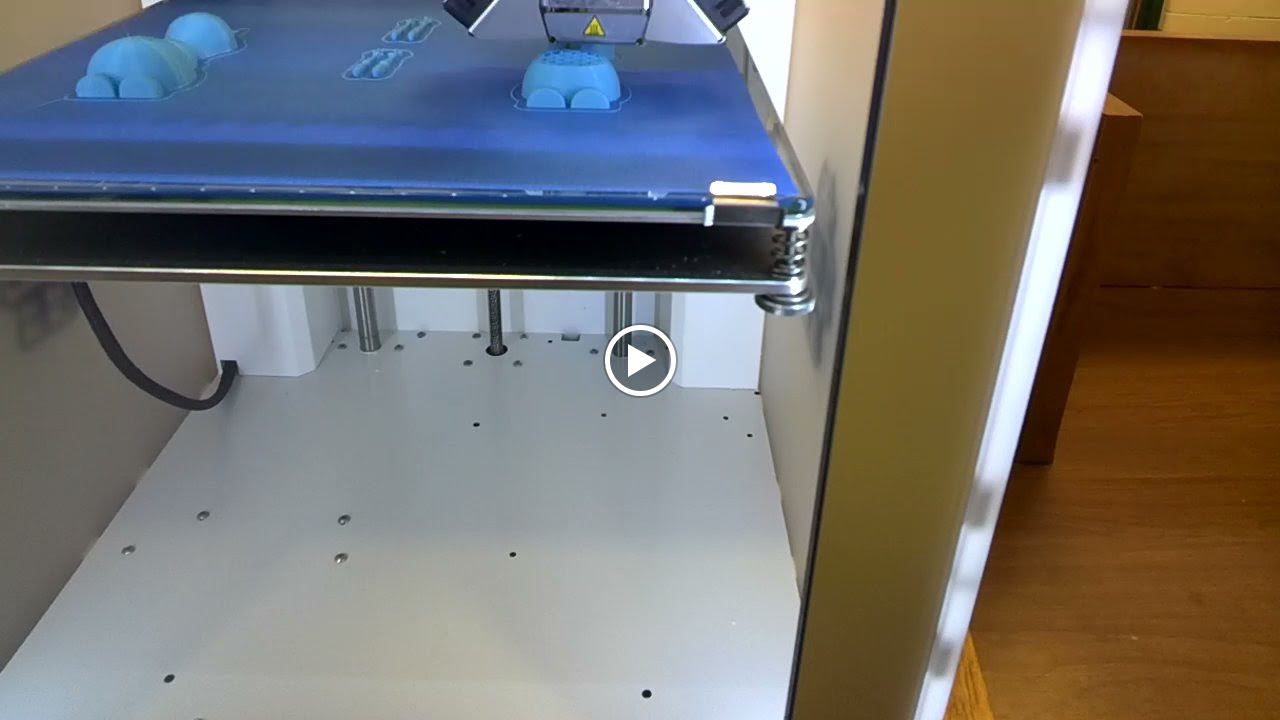
The Pratt High school received a 3D printer and the middle school was invited to use it.  If I could have I would have done a dozen cartwheels when I heard the news.  The 3D printer arrived just in time for me to introduce technology terminology to my technology students.

Knowing how much my students love Olaf I went searching for a 3D object file of him that I could use with the 3D printer.  I found one in the MakerBot Thingiverse site.  I myself am not a designer just yet so thanks to those that have shared their designs in Thingiverse I was able to demonstrate how a 3D printer works.  My students were in awe as they watched the layers build.  By the end of the day I had students who were not in my classes wanting me to take them over to the high school so that they can experience the building of Olaf.

Seen though Google Glass
After seeing the 3D printer in action my students are blogging about their experience.  They are explaining what a 3D printer is, how it works, what materials it can use, and what they would like to create with it.  During their research on 3D printing my students descovered that their are 3D printers for food, they especially like the one that will make pizzas.


Our Finished Olaf

Resources:


EduLS Week 1 Challenge .....

EduLS Week 1 Challenge .....

I participated in the summer Educator Learning Series challenges or as many as I could and I thought I would give these challenges a go.  The EduLS week 1 challenge is Lisa Dabbs challenge is asking us for this year instead of a resolution she is challenges us to #onelittleword to help guide and define our year ahead.  Todd with his Educator Learning Series has now challenged us to #onelittleword.  You are to create some kind of graphic with you and your word to remind you of the One Little Word that you picked to guide you through your year.


Resources:


Ring in the New Year with EdTech & More ...

Ring in the New Year with EdTech & More ...

2015 is going to be the year of possibilities and much more.  With that thought in mind I revamped my personal website www.katieannwilson.com.  My goal is to bring all of my talents from creating interactive lessons, augmented reality, digital storytelling, to a trainer, presenter, and speaker all in one place.  I've even included a resource section were I've placed interactive activities, printable activities, even web & app tools I use.  I love to create and I love to show others how to create even more.  I would love to come to your school and help you bring learning to life.

2015 will also be a year for new ways for me to share EdTech with fellow educators.  I will be hosting an EdTech podcast this year.  The podcast will be an informal conversations about big ideas in EdTech.  I plan on sharing EdTech and ways to incorporate it into the classroom.  There will be guests, tips, and much more so keep your eye on Remarkable Chatter for my podcast "Podcast of a Techie Chick" or "Diary of a Techie Chick - the Podcast", I can't decide on a name.  If you would like to be a guest on my podcast and talk about EdTech feel free to contact me.


Becoming a Resource .....

Becoming a Resource .....

The moment you realize you are a resource for other educators is just priceless.  I had that moment today. I've been busy this week tweaking my personal website and was looking for all of the interviews and other resources I had created. As I was searching I noticed my name was tagged for the TCEA 2014 Convention. I thought to myself for a little bit, I know 2014 had been a busy year for me but I was pretty sure I had not attended the TCEA convention, even though I would have loved too.  I became a little curious and followed the link.  To my surprise I was a resource for Debra Atchison's presentation about green-screen projects.  I was overjoyed to learn I had became a resource for someone.

I became a little more curious so I did a little searching and discovered the following people had me as a resource of some kind:


I am sure there are more, those were the first ones I came across.


I love discovering how I have inspired others, helped others, and touched others in some way.  You really never know the impact you have.  As I continue on my path of being a presenter, trainer, speaker, and blogger I can't wait to see how I have inspired others.

Feel free to check out my personal website - www.katieannwilson.com.