Showing posts with label Google. Show all posts

Surfing for Quality Digital Tools.....

Surfing for Quality Digital Tools...

The number one question I am asked is what tools do I use with students and how do I determine if the tool is the tool my students should use. I think of digital tools and resources like shoes and just like shoes, you will use the pair that works the best for the situation you are in. For example, you do not want to wear flip-flops when you are climbing or hiking you would use the proper footwear to get the job done. It is the same with digital tools, devices, and resources. Just like shoes digital tools, devices, and resources also depends on personal choice. The tools I use may not work or fit your needs so you need to use the tools you feel comfortable with.

The other side of the coin when using digital tools, devices, and resources you need to pick ones that take you and or your students beyond. For example, if you have an interactive whiteboard a.k.a. a SMART board and you never physically touch and interact with the board you basically just replaced your projector screen with a solid board version. To help you go to the next level in implementing technology into your curriculum I have designed an interactive rubric. This rubric is designed from research and is based on the SAMR framework. There are a few questions you will need to ask yourself about the tool, device, or resource you are wanting to use. Through the questioning, the rubric will guide you to if the tool you are wanting to use is going to move you more into transforming the learning or if you should think a little more about using the tool.

Just like any tool it really depends on how you plan to use it and not every tool works for everyone. Since I am a doctoral student and I am conducting research I am collecting the results of the rubric. You will be emailed a copy of your results when you hit the submit button. If you do not want me to collect your results I will have a second option that will allow you to make a copy of this rubric and use it. The copy will save to your Google Drive and you can use it from there.

Interactive Rubric Links:


Do You Want to Build a Snowman?

Do You Want to Build a Snowman?
It doesn't have to be a snowman...

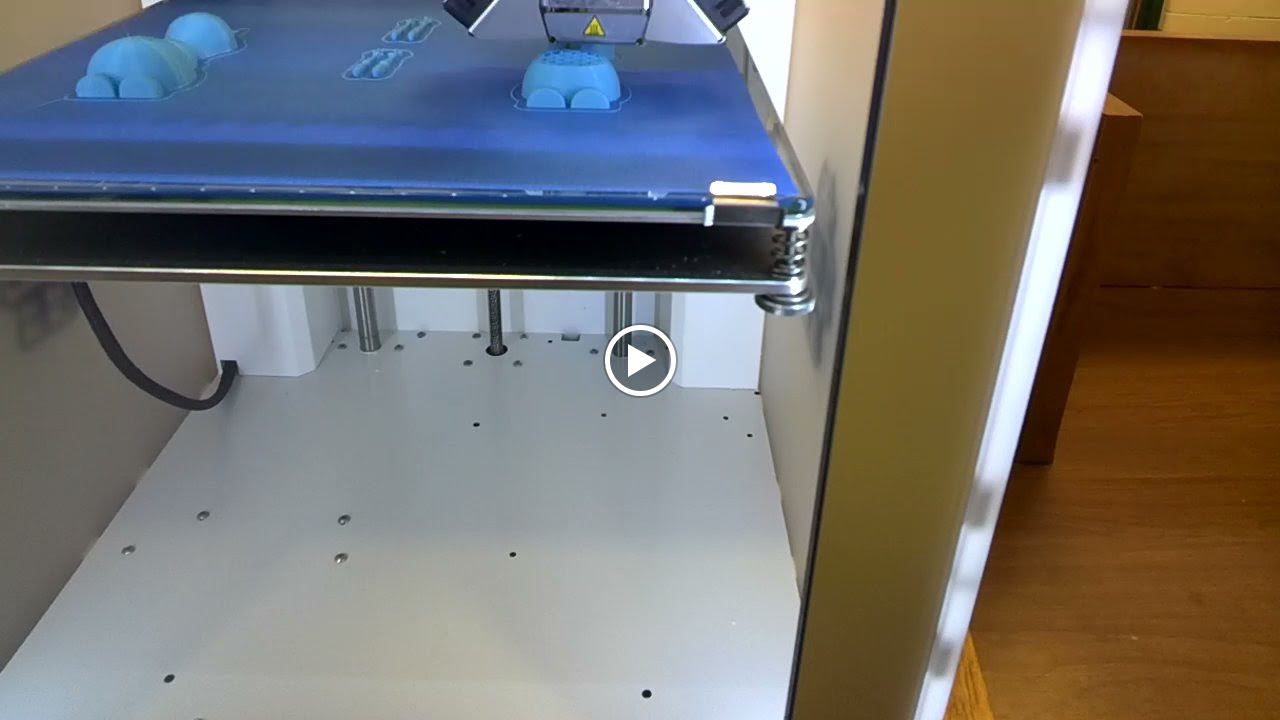
The Pratt High school received a 3D printer and the middle school was invited to use it.  If I could have I would have done a dozen cartwheels when I heard the news.  The 3D printer arrived just in time for me to introduce technology terminology to my technology students.

Knowing how much my students love Olaf I went searching for a 3D object file of him that I could use with the 3D printer.  I found one in the MakerBot Thingiverse site.  I myself am not a designer just yet so thanks to those that have shared their designs in Thingiverse I was able to demonstrate how a 3D printer works.  My students were in awe as they watched the layers build.  By the end of the day I had students who were not in my classes wanting me to take them over to the high school so that they can experience the building of Olaf.

Seen though Google Glass
After seeing the 3D printer in action my students are blogging about their experience.  They are explaining what a 3D printer is, how it works, what materials it can use, and what they would like to create with it.  During their research on 3D printing my students descovered that their are 3D printers for food, they especially like the one that will make pizzas.


Our Finished Olaf

Resources:


Bring Learning to Life One Classroom at a Time....

Bring Learning to Life One Classroom at a Time....

This fall I launched the 2nd year of the Global Digital Scrapbook Project.  My goal is to encourage others to bring augmented reality to their classroom.  I plan on posting in our global project ways I use augmented reality in my classroom.  If you are new to augmented reality start off simple with pre-made triggers such as the Dot Day coloring page by colAR.  My middle school students really love using this page and have a lot of fun interacting with it.

As I go through the school year I will continue to post in the global project ways my students are using augmented reality.  Feel free to join us and submit your class stories as well.

I also have a Google+ group just for educators to learn, share, and get help with augmented reality.  Feel free to join and share your stories, get some help, or learn more about AR.

Resources:


Bringing Learning to Life....

Bringing Learning to Life....

I am proud to announce the launch of the 2nd Global Digital Scrapbook project. This Global Digital Scrapbook will showcase how augmented reality is being used in the classrooms around the world.


Project Goals:
Teachers and students will engage in discussions with others during the project about they are using augmented reality in their classroom. They will share how they are using pre-made triggers and or if they are creating their own augmented reality triggers.


Duration: 2014-2015 School year:
  • You can participate in the 1st semester session.
  • You can participate in the 2nd semester session.
  • You can participate in both sessions.

Targeted Grade Levels/Age Groups: All ages.

How This Project Works:
Teachers will communicate via the Augmented Reality Google+ Community.
Teachers will submit content to be added to the Digital Scrapbook.


Guidelines:

Teachers will need to submit a photo that will represent their school or classroom. This photo will be used as a maker for the interactive map as well as the header for their page.

Throughout the project teachers/classes will submit images, videos, write ups, and etc... that will be added to the various pages for the Global Digital Scrapbook.

How to submit your content will be posted after the project has started.


For further information
DM @katieann_76


The Project:

Going Beyond a Simple Textbook....

Going Beyond a Simple Textbook....

Last year I created an interactive ebook for my technology classes.  I filled it with a variety of of video clips, screenshots, presentations, and resources for them to refer to.  This year I wanted to create another interactive ebook but I wanted to be able to be used cross-platform and on all devices.  I guess like always I am ahead of my time.  If I wanted to make my interactive ebook available for all devices I would have to pay a company to convert it for me and there was no promise that all of my interactive components would work.  So I went back to iBook Author and created my interactive book which can only be accessed via iBooks.

I haven't decided if I wanted to submit this book to the iTunes Store or not.  The iPads that my students use block the iTunes and App Store so it isn't possible for them to download the book from there.  I did find a alternative way around that issue.  I saved the iBook file to my classroom website and my students can download it from there. It does take a while for the book to download and if I make any changes the kids will have to download the book again.

Now I can say I am a published author and I now have 2 editions to my Computer Apps e-Textbook.

eBook:

Mrs. Wilson's Computer Apps - Bringing Learning to Life
Use Safari on your iPad to download this file. You can also download this file if you have Maverick on your Mac.  It will take a while to download.


The AR Community ....

The AR Community .... 

My goal this summer was to reach out to educators and share with them some of my techie knowledge.  In reaching out I created a Google+ community for educators to learn more about augmented reality.  The community is a place where educators and even AR developers can come together to connect, share, and learn.  This community is not just for the younger grades but for all grade levels.

In developing this community it dawned on me that some people may not know how to navigate within it so I created a little guide to help them out.  This quick guide will point out the where things are and how to access them.

Feel free to join the community and to share it with others.

The Google+ Community - Augmented Reality for Educators 


My Reflection of Podstock '14

My Reflection of Podstock '14

Podstock is one of my favorite conferences to attend.  I have only missed 2 of them since they started.  When I first met this group of educators and they were all dressed up like hippies I had my doubts, but they open their hearts and welcomed me in just like family.  The conference is more than just about learning it is about building relationships with other educators from around the world.  

Even though I live little over an hour away from Wichita I like to stay overnight and participate in the extra activities.  This year Podstock added a Pine Derby Car race. It was a lot of fun connected with others while sanding, painting, and decorating my little car.  I do have to say that my little car did beat a guy or two.  The reception is always a lot of fun as well.  The 1st year, if I remember correctly, the dance was both online via 2nd Life and in person.  I highly suggest that if you attend Podstock you should really participate in the little extras, it is always a lot of fun.  You never know you might win the next Photo Scavenger Hunt.

During the conference I attended several really great sessions.  I am trying to get out of my introvert shell so I picked session that I thought would help me do that.  I also tried to take selfies, which is very hard for me to do.  The Improv session was a amazing.  I never stopped and thought about some of the "Improv Games" that you play could relate right back to education.  If you think about it you are developing listening skills, character building skills, speaking skills, problem solving skills and face it, it is a lot of fun being a little goofy.

I try to submit a proposal every year to be a presenter, so far every time I've submitted I've been approved. This year I did a presentation on creating augmented reality.  My goal was to have a hands on session were by the time the attendees left the session they had created an augmented reality trigger.  In a perfect world that would have been amazing, but that didn't happen.  I learned that I need to have my own hot spot so I don't have to battle with a conference's WiFi, now only if I can convince my husband.  One of the things I hope the attendees of my session took away was that you can turn anything into a trigger.  For the conference I had made my avatar a trigger so when you scanned it you got more information about me.  I also designed a shirt for Podstock and turned that into a trigger, so when you scanned it you got information about Podstock.  To help others I created an Edmodo group and a Google+ community were educators can connect, get help, and share their experiences with augmented reality. I have tons of pre-made AR triggers saved in the groups and a list of AR apps. Feel free to join the community or group.

Resources:


GTA 2014 ....

GTA 2014 ....

Today I took a step closer to becoming a Google Certified Trainer.  I submitted my application to be considered to become a Google Certified Teacher and attend the Google Teacher Academy this summer.  Over spring break I passed the tests and became a Google Educator.

Part of the application process is creating a 1 minute video showing how you innovate in the classroom or educational community to generate a positive change.  Using some of my iMovie skills and pictures I had of my students working with a variety of tools I created the following 1 minute video clip.  In the pictures you will see my students seeing a different reality via Augmented Reality, creating Green-Screen projects, and using a variety of Google Tools including Google Draw for illustrating.  My favorite pictures are they ones of students using Google Glass.  That tools has really blown the minds of my students.

I like to think that I inspire others to think outside the box, see a different kind of reality, to look beyond what they know, and to create something original.  I hope this video shows that.  It is really hard to put everything you want to say in only 1 minute.  I wanted to add all the conferences and Edcamps I have attended as well as presented at and the many ways I connect and share Google Apps with educators.  I think I would have needed 5 minutes just for that alone.


Google Glass & A Green-Screen App = A Day of Learning....

Google Glass & A Green-Screen App = A Day of Learning....

This week my students have been busy creating some magic with Google Glasses and a Green-Screen app on their iPad.  Their assignment was to type up a Mini Movie or a Movie Trailer, when they were finished then they could create their little production using Google Glass and a Green-Screen.  Creativity went wild as my students brainstormed their stories and problem solved ways to reenact their storyline.

My goal in getting Glass in my classroom was to put the technology in the hands of my students and have them develop ways of using this technology.  I have really enjoyed watching their wheels spin as they thought of ways they could put Glass to work.  I can't wait to see where my students take their projects and the ways they incorporate Glass.

Recorded with Glass

Another part of our project is using a Green-Screen app called Veescope Live Full version.  It does cost $2.99 but is so worth the cost.  You can use a video clip, a still picture or multiple still images for your backgrounds.  Just save the images or video clips you want to use with the app to your iPad's camera roll and you are set to start making some Green-Screen magic of your own.

Make sure you have plenty of light when using the app.  Don't have the kids stand right up against the wall or Green-Screen, sometimes it makes it hard to separate the person from the Green-Screen. We use a stand to hold our iPads which has helped keep our videos stabled.  Make sure the person being recorded isn't wearing green or a blueish green, them become ghost like.


Translation Glass Style.....

Translation Glass Style.....

I have been asked several times what is the purpose of using Google Glass in my classroom, if I want to capture evidence of learning why don't I just use my iPad or phone.  My argument is that Google Glass is more than just a camera or video camera, its a tool.  Like any tool it can be misused or even under used.  My goal is to find many different uses for this tool in my classroom or even out of my classroom.

This week I am monitoring the #Edmodo and #Edmodo Support feed in Twitter. As I was keeping an eye on the feed I noticed several people posting in a language other than English.  I thought to myself how in the world am I going to translate these posts quickly.  It dawned on me I should try to see if I used the Word Lens for Glass app.  That app may be able a solution to see quickly what is being asked in the feed.  In a blink of an eye the non English words transformed to English for me.  This was mind blowing for me.  What a powerful tool.  I thought out loud I can definitely use this tool with my non speaking English students.  My mind went into overload as I thought of ways to put this tool in the hands of my ESOL students.  My first thought was if there was something in print that wasn't translated and that student needed some clarification.  By putting on Glass in a second they could see it in their 1st language.  Then flip that idea if there was something they didn't know how to write out in English have them write it in their 1st language and have Glass translate it for you.

You can also use the voice part of Glass and have something translated for you as well.  The Word Lens app for Glass just blew my mind.  I did see it demonstrated at FETC but to actually do it is a totally another thing.

Google Glass in Education ....

Google Glass in Education ....

Google Glass is finally here and my students are ecstatic.  They are coming up with ways they can use this amazing wearable technology.  Our 1st project will be to create Movie Trailers using Glass, iMovie, iPad, and Veescope Live Full version app.  The past few days over 100 students and staff members tried on Glass and posed for a picture.

I can't wait to see where the this technology takes us.  Let the Journey begin.


Preparing to Present @ MACE '14......

Preparing to Present @ MACE '14......

This past school year I was inspired to create a Global Project.  I decided to start The Global Digital Scrapbook Project.  Today I will be presenting on how I managed to launch my project.  I plan on sharing the tools I used to create and manage The Global Digital Scrapbook.  This project is still live and in the building process.  I can't wait to share what I have learned on creating a project at such a large scale.

I will be at the K-State Union in room 227 at 3pm today.


Resources:


New Technology Coming Soon .......

New Technology Coming Soon .....

I feel like a kid waiting for Christmas to arrive these past few weeks, and it is getting harder and harder to wait.  Thanks to some wonderful supporters Google Glass will be arriving very soon.  I can't wait to learn and share this out of this world technology with my students.  I think my students are more excited than I am that this wearable technology will be at their finger tips.  One of the projects I plan to do with this technology is to expand the use of Green-Screen effects on our Digital Stories.  I also plan inviting the pre-school classes over and have them tryout this technology along with some Augmented Reality apps.  I can't wait to capture their experience as their coloring page comes to life or a flashcard pops up a 3d image.  

Another project I would like to do is for my Global Project, I would like to create a walk around my school video using Glass.  I have it in my mind what I would like for it to look like, we will see if I can transfer it from my mind to real life.  I think it is important that those that have been sharing this Global Project with me can get a glimpse into our every day life at school, see what means to be an LMS Greenback.

If you would like to help to bring Google Glass to our school and make difference you can visit the campaign page "Bring Glass to Our School", there are only 6 days left to contribute to the campaign.

A BIG Thank you to all of those who contributed via the campaign and privately, you've made a Difference!


Count Down to Glass ....

Count Down to Glass ....

As I prepare for Google Glass to arrive to this small town in the middle of the USA, literally in the middle, I am starting to plan how I can use them in my small classroom.  I really would like to use them not only with my students but with students throughout the school district even down to the little pre-schoolers.  I know that the possibilities are going to be endless and my students will also have a plan for them as well.  One of the 1st projects I want to do is a Green-Screen project.  I am really into creating unique digital stories with the help of Green-Screen effect.  I am not 100% sure how this project will turn out, but I do know it will be one of a kind.

Another project I would like to do is add Augmented Reality to a presentation.  I am not sure which apps yet interact with Glass so I am not certain how this project will fully come together until I have Glass to work with.  I will be inviting the pre-schoolers over to play around with some Augmented Reality objects and have them wear Glass to capture their reaction and learning from their point-a-view.

I know one of the science teachers at the high school has a plan to use Glass and record and document weather.  Not sure how he plans on doing this until we have the wearable technology to see how to pull it all together.  Introducing this technology to the students will definitely be a learning curve.  There will also be lots of problem solving skills being used and a lot of thinking outside the box.

If you would like to help to bring Google Glass to our school and make difference you can visit the campaign page "Bring Glass to Our School".


  • What kind of projects would you like to see students working on using Glass?
  • What apps would you like to see paired up with Glass?


Help Bring Google Glass to My School ....

Help Bring Google Glass to My School ....

I was presented with an invitation to join the Google Glass Explorer Program. This invitation presents an exciting and unique opportunity to share learning experiences, stories, as well as a students' and teachers' point of view!

I teach technology skills to middle school students as well as staff. Fulfilling this campaign will help bring Google Glass to our school that would other wise would not get the opportunity to learn and share this technology.

To Help Please Click Here


What We Need & What You Get

The cost of Glass is $1500 and is a little out of my reach. Any and all donations will go towards purchasing Glass.

In return for you support, you will receive a Thank You Tweet or email and a written Thank You letter from one of my students plus a Thank You letter from me. You will also be highlighted on my teacher blog - Diary of a Techie Chick as a supporter. You will then be added to the Making a Difference Section of my classroom eBook.

The Impact

Please help sponsor me in creating meaningful learning memories with Glass with my students! I would use them to capture student's stories, their thought process, and problem solving strategies. Glass would also allow my students the opportunity to share their story, and learning experiences with the world.

Bringing Glass into my classroom will do more than just put the technology in our hands, it gives my students an opportunity to explore technology that would otherwise be out of their reach.

Other Ways You Can Help

Some people just can’t contribute, but that doesn’t mean they can’t help:

  • Ask folks to get the word out and make some noise about your campaign.
  • Remind them to use the Indiegogo share tools!


And that’s all there is to it.


Apps I would like to Pair with Google Glass

Reflection of EdcampHome 2014 ....

Reflection of EdcampHome 2014 ....

EdcampHome was the place to be this morning.  The organizers of the EdcampHome really brought it today.  It was well organized, Kelly did a great job with the Google Scripts and getting everyone where they needed to go.  I myself stayed on the EdcampHome page and listened in on a few sessions.  I really enjoyed all of the sharing and learning that went on today.  I listened in on Augmented Reality and learning how others are using Augmented Reality in their classroom.  I also peeked in on the Connected Classroom.  Twitter is a great way to wet your feet in becoming a connected educator.  I use Twitter to connect and build my PLN.  If you would like to connect with me my Twitter handle is @katieann_76.  I also use Edmodo to build, connect, and to run my Global Project.  I try to share my experiences by writing in my blog.  Being apart of the Teacher Learning Community in SimpleK12 is another way I try to connect and share with other educators.  Some teachers do find it hard to share what is going on in their classroom.  My suggestion is to try one share tool being Twitter, a Blog, a Wiki and etc... Start slow and embrace your passion.

In session 2 I learned about Virtual Field Trips.  I didn't realize that Google had started Virtual Field Trips via Google+ Connected Classroom and Google Hangouts.  To view upcoming Field Trips or past trips visit the Google+ Connected Classroom.

During the SLAM session I learned about: 

I needed this little shot of inspiration today.  I was able to listen in to all of the sharing while I worked on a presentation for FETC '14, Edmodo, LiveBinders, MACE '14, and ISTE '14.  It really helped me to listen in on some of the questions to get an idea what others want to know or understand.


Thanks for sharing and letting me be apart of #EdcampHome.


My Favorite Apps or Tools for 2013 ....

My Favorite Apps or Tools for 2013 ....

colAR Christmas Tree

2013 has been a great year to explore new apps and web tools.  Listed below are just a few of my favorite apps or web tools.

Apps or Web Tools to Try:


If you haven't tried these tools or apps I suggest you give them a whirl.


Dreaming with My Eyes Wide OPEN....

Dreaming with My Eyes Wide OPEN....

Technology is aways evolving, changing, expanding, and reinventing itself.  I think that is why I love teaching with technology so much.  I never get bored and love learning new ways of using technology, I also love sharing how to use the technology.  I have been seeing teachers embracing the use of Google Glass in their classroom.  Every time I hear that a teacher has the chance to use Google Glass my mind goes into overload.  Just think of the possibilities Google Glass can offer.

  • 1st Person Video Guides or Tutorials 
  • Use of Augmented Reality
  • Creating Augmented Reality
  • Creating One of a Kind Interviews, Stories, and Projects with Green-Screen effects
  • Learn New Languages or just Translate a Language
  • For Observations
  • A Student's View of a Lesson or a Teacher's View of the same Lesson
  • Making Connections through Google Hangout
  • Record Research, a Science Experiment, or Document the Learning Process
  • Use to Reflect on an Assignment or Lesson
  • Record a Field Trip or a Once in a Life Time Experience 
  • Build a Portfolio
  • Exploring the World through a Different Perspective

Twenty-five years ago who would have thought we would replace the kitchen wall phone with a phone that can access the internet, check email, or take a picture.  Even ten years ago we thought wearable technology was Science Fiction, but here we are and it is happening now.  I do not know what the future has in-store for us. What I do know is that the possibilities are endless, we just have to think outside of the box and be a little creative.

Google Draw + Green-Screen + iMovie = Amazing

Google Draw + Green-Screen + iMovie = Amazing

For our end of the semester project my students combined 3 powerful tools together to create a one of a kind digital story.  Before they could even start drawing, recoding, and publishing their stories they first had to write them.  Once their stories were on paper they got busy putting shapes together to create their illustrations.  They used Google Draw for this part of the project.  The only requirement was that they needed at least 4 scenes for their stories.  After they had finished creating their illustrations they downloaded each one as a jpeg file.  Since they had to use the computer to use Google Draw and the Green-Screen app was on their iPads they had to email themselves their picture files.  Once they had their picture files saved to the camera roll on their iPad they could use the app Veescope Live Full version to record themselves telling their stories in front of my green wall.  After all the recording were done they imported all of their recordings into iMovie and put together their stories.


Click Here for Student Stories - Check often as we are still finishing our stories.


My 1st e-Textbook....

My 1st e-Textbook....

To really embrace Flipping my Classroom I have created my 1st e-Textbook.  This book is full of video clips, interactive review questions, and screen shots.  I designed this book by topics not necessary chapters. My Computer Apps class is an 18 week long course.  During the course I have to cover the topics of Word Processing, Spreadsheets, Research, and Email to name a few.

My goal was to make this e-Textbook interactive and full of resources for my students.  I also wanted to pair this book with my classroom website.  I created a few videos clips with Green-Screen Effect.  I also made a few quick intro video clips via PowTown.  I loved that I could link to video clips from Google, Prezi, SlideRocket, and Glogster Edu.  Why reinvent the wheel if the creator of the tool already made a video clip?

What I love about this is that there is a Glossary and a place built in for kids to take notes.  This is my 1st try at an interactive e-Textbook and I am sure I will be making revisions.

The possibilities for e-Textbooks are endless.